
Start with what the recipient needs to do
Choose the format from the next person's task. Someone reviewing your conclusions needs a readable copy. Someone changing next quarter's numbers needs editable objects and data. Someone presenting the talk needs the correct reveal sequence and a file that works in the room. Those are different requirements, even when they begin with the same slides.
For a review meeting, a PDF is often a useful stable reference. For collaborative revision in a presentation application, keep an editable PPTX. For a handoff that involves both reading and editing, send both with matching revision names. Explain which file is the source for future edits so the two versions do not drift apart.
Keep the working source even when the requested deliverable is PDF. A fixed reading copy does not replace the objects, notes, and structure you may need for the next revision. Equally, having an editable file does not remove the need to check what a recipient actually sees.
What we checked in a real DeckCraft PDF export
On November 13, 2026, we generated the eight-slide bundled sample with DeckCraft CLI v0.18.1 on macOS arm64, saved it as PPTX, and ran deckcraft-cli convert sample.pptx sample.pdf. The conversion produced a PDF 1.7 file with eight pages. PDF inspection reported a page size of 960 × 540 points, matching the sample's widescreen proportions.
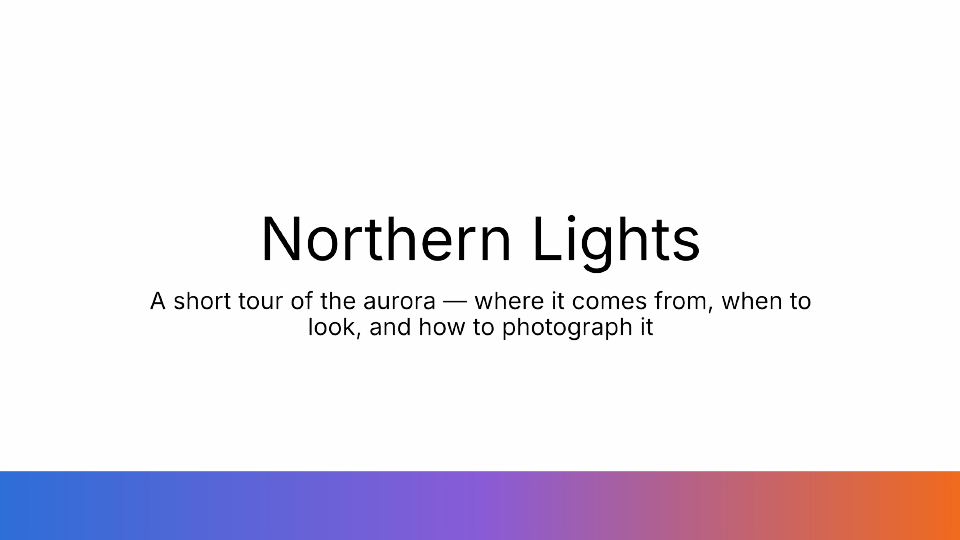
We extracted text from the first page and found the title “Northern Lights.” We also rendered that page for visual inspection. These observations establish that this sample exported and that its first-page title was extractable. They do not establish correct reading order, accessibility, every hyperlink, every symbol, or the quality of a different presentation. The resulting PDF was reported as untagged; we have not verified it as an accessible document.
The upstream v0.18.1 PDF implementation notes describe slide artwork rendered as images with a text layer and embedded font subsets. Do not describe this as an entirely vector export. If your deliverable requires sharp enlargement, searchable text, or reliable copying, inspect those properties in the exported file instead of relying on the extension.
These are CLI results. The hosted browser workspace is maintained separately, so first check which export commands your visible build actually offers. This article does not establish that its export options or output match v0.18.1.
Use PDF for a fixed reading or review copy
PDF works well when the recipient should read a particular revision without rearranging the slide objects. Examples include a meeting pre-read, a reference document attached to a project update, or a copy retained with meeting notes. It also gives collaborators a common visual reference when their presentation applications render the editable file differently.
Review at normal reading size and at a larger zoom. Look at small chart labels, diagrams, dense tables, and photographs. If artwork becomes softer when enlarged, decide whether that matters for the intended use. A slide that looks fine on a laptop may be unsuitable for a large printed poster; export and inspect for the real output size.
Check the document page by page. Confirm the first and last pages, expected page count, orientation, and whether you exported slides, notes, or handouts. Search for a known title and try copying a sentence if those features matter. Verify important links in the reader your audience uses. Label any untested requirement as not verified.
PDF is a static delivery choice in this workflow. Rewrite essential animation-dependent explanations so a reader can understand them without watching a sequence. For example, split a staged process across several static slides or number its steps. Do not rely on a single exported image to communicate an object that was supposed to appear later.
Keep PPTX when the next person needs to edit or present
Keep a PPTX when the recipient needs to change wording, update a chart, reuse a layout, or continue building the talk. Preserve a separate original before editing a deck that came from another application. An editable file is valuable precisely because its contents can change, which also makes a reference copy useful.
Test the saved PPTX in the receiving application. Start with fonts, then check layouts, notes, charts, and motion separately. In our sample round-trip check, several recorded fields survived unchanged, but PowerPoint playback remained not verified. That limitation still applies even when the exported file opens without an error.
If the presentation uses a font the recipient lacks, consult the font substitution guide. Exporting a PDF after a font has already substituted will not restore the intended typography. Resolve the layout before producing the reading copy.
Send a small, clear delivery package
Use one revision identifier for both files, such as project-review-r03.pptx and project-review-r03.pdf. Add a brief handoff note saying which file to edit, which file is the visual reference, and which application you used for the final check. Mention specific unresolved issues rather than a vague claim of full compatibility.
Open both files from the folder you will actually share. This catches the surprisingly easy mistake of inspecting one revision and attaching another. Check file sizes and page or slide counts, then review the title slide and the most demanding content slide. If you change the PPTX afterward, regenerate and recheck the PDF.
Before a live presentation, test the actual delivery computer and display arrangement. Keep an accessible static explanation of any essential sequence, and keep the editable source for later fixes. The save and reopen checklist provides a repeatable final pass for the whole package.
Put the guide into practice
Return to the homepage to explore the editor, create a small test deck, and try the workflow with your own content.